Showing posts with label TransAtlantic Communication. Show all posts

Friday, November 24, 2006

Electrics and Electronics

The Sitting Room Setup
The Sitting Room
When one moves overseas, one faces the potentially expensive problem of what to do with one's electrical and electronic possessions. The problem is threefold:

  1. The mains voltage supply in the UK is 230V and in the US it is 120V
  2. The UK current alternates at a frequency of 50Hz, whereas the US frequency is 60Hz
  3. The UK's video colour system is PAL, whereas the US uses NTSC
We were advised by some to sell/give away all our electrical/electronic items and buy new ones in the US. We partly decided to do this, but were reluctant to lose all our electrical possessions. There were some that were fairly new, some that were presents that we did not want to part with and some that we particularly liked. In addition, getting rid of everything and buying everything new was a potentially expensive option.

If you're thinking of moving to the US from the UK, or vice versa, you are bound to be faced with a similar dilemma, so, just in case it helps, here's how we approached the problem:
  1. We took an inventory of all our electrical/electronic devices along with their voltage/wattage.

    For the most part we ignored the frequencies because frequency converters are very expensive and we didn't think that the difference in frequency would adversely affect most of our devices because we were going from 50Hz to 60Hz. If you're moving from the US to the UK, however, you might need to consider this as this may affect some of your decisions.

    Some devices, such as many computers (but not all), are built to accept dual voltages, so only needed plug adapters to work in the US. When using adapters, it is worth bearing in mind that some appliances need to be earthed and one would need an earthed adapter for these.

  2. We decided which devices we really wanted to take. These included the TEAC HiFi system and Emily and Lauren's micro systems that were birthday presents and were quite new.

  3. We decided which devices to give away (such as the washing machine, tumble drier, big TV and vacuum cleaner). We kept one TV and a multi-regional VCR because we have a lot of PAL videos that we wanted to be able to watch in the US, including the "Born in the UK" series of videos that the Everyday Eavesdropper regularly sends us. We also have a PAL PSOne that the children wanted to keep.

  4. Of the items that we decided to keep, we thought generally about which devices are likely to occupy which rooms (e.g. the food processor would obviously go in the kitchen).
The Kitchen's Transformer
The Kitchen
(the transformer is hidden
in a cupboard)
We also kept any extension strips (with rows of UK plug points) to take with us. This was because the plan was to buy a step transformer for each room in which we put UK devices, then plug all the devices for that room into a single transformer via the extension strips. We also had to buy a video converter for the VCR because it turned out that although the VCR was multi-regional in that it could play both UK and US videos, it could only output to a PAL TV. We also found that our TEAC DVD player was not multi-regional and could not be made so using a handset hack, so we would have to spend a fair amount of money to send it off and get it professionally altered. Our solution was to keep the TEAC DVD player boxed and buy a cheap one from Walmart. We then used a handset hack (one types a specific sequence into the remote control to set the region-encoding of the DVD player) to make it play both Region 1 and Region 2 DVDs. (NOTE: To get a handset hack, just google your DVD player's model reference and the words "handset hack".)

We also made sure that the TV we bought had a plug-point for a PC so that we could download or stream UK TV programmes through a laptop computer to the TV. This is much more enjoyable than having to gather around a small computer screen.

We used the wattages that we'd gathered in our inventory to work out the wattage needed for each of the transformers.

As a result, we now have transformers of varying wattages in the kitchen, dining room, sitting room, study and our three bedrooms as well as a number of plug adapters for those appliances that can work on the US voltage. We went for straight-forward transformers rather than the more expensive voltage regulators just to keep costs down, but you might choose to stabilize your voltage with a regulator.

The pictures show a couple of examples.

Here's a few useful links:
Electricity Around the World
PAL SECAM NTSC Conversion
Voltage Guide
World Import FAQs
Frequency: 50Hz vs. 60Hz
DVD Compatibility FAQ

Tuesday, June 13, 2006

How to Send International Texts (SMS)

Today, Mark is going to outline some of the things he has learned about sending transatlantic SMS messages:

A couple of months ago, Viola gave me a guest spot to explain how we are using New Technology and Old-Fashioned Communication to write letters and telephone people back at home in the UK. One thing I didn't tackle there is the question of sending text messages internationally, something I've recently spent some time exploring because I had struggled to send international texts from my mobile phone. So this post explores ways in which you can send texts internationally. The remarkable thing is that you don't even need a mobile phone to do it. Note: in the UK, your mobile phone is always called your "mobile". Here in the US, the term "mobile" is understood, but everyone uses the term "cell phone" or "cell".

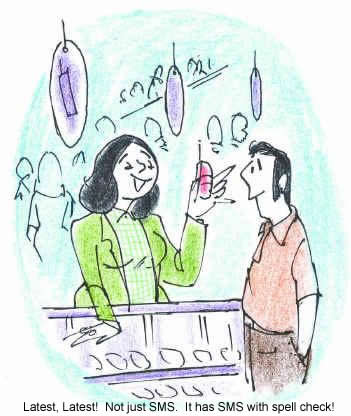
Woman selling mobile phones.  Caption: Latest, latest! Not just SMS.  It has SMS with spell check!
For some reason, outgoing SMS text messaging on my American mobile phone (Verizon Wireless) only works with some UK networks. So I find that there are some friends and family in the UK that I can text and some I can't. This is, of course, not very convenient and it is not cheap either, at something like 20¢ per text message sent. On the other hand, I seem to be able to receive texts from almost any UK mobile. So my mind turned to discovering whether it was possible to do some (outgoing) international texting cheaply via the internet. The issue was focused particularly by a family birthday (when texting often has to substitute for a card, sorry!) and by the World Cup, when texting friends and family adds to the excitement during the England matches.

If you are wanting simply to send free texts from your PC to someone's mobile within North America, it's easy. The service I've tried and tested, and which work fine, is SMS Everywhere -- a simple web interface for sending free texts. Or for email to mobile phone, try Teleflip, where you simply email (yourcellphonenumber)@teleflip.com. But this doesn't solve the international problem. For this, there is something that looks like an ideal solution if you can get it to work for you. CBFSMS allows you to type your text message into an SMS Gateway on the web and so send free texts to British mobile phones. Alas, it doesn't work for me -- our ISP is blocked because of abuse. As far as I am aware, that's it for free options, but there are several other relatively cheap ways of sending texts to the UK via the internet.

The one that is working well for me is a new service from Skype, Skype SMS. You can access it from within Skype, and so it works off your Skype Out credit (the money you have deposited for phoning your friends and family back home). To get access to this, you need to download Skype 2.5 BETA. I've tested it several times and it's working well for me, and costs under 10¢ per text sent, considerably cheaper than my mobile rate. At present, the service is outgoing only, but it allows you to set up your profile so that you can receive texts back on your mobile, which works well for me since I have no problem receiving international texts. So now I am sorted, at least as long as I am near my laptop and with an internet connection, which is most of the time.

Other ways of texting people back in the UK include using the UK Yahoo! pages, but this is very convoluted and costs 10p a text. I'd be interested to hear of any other good ways of cracking this problem. Wikipedia has a useful article on SMS Gateways, but it's geared mainly to North American users. In summary:

  • SMS Everywhere your North American contacts for free
  • CBFSMS your British contacts for free, but it blocks some ISPs
  • Skype SMS your international contacts at an OK price (outgoing only).
[As an aside, you might have fun with SMS Dictionary. It even has a babelfish-style translator. (Ed.)]

Saturday, April 22, 2006

New Technology and Old-Fashioned Communication

This is another guest blog by Mark, but on a slightly different topic to his previous posts.

A move across continents is, of course, a far easier business now than it would have been even ten years ago. Communicating with friends and family back home is a doddle via email and instant messaging, but there are other ways in which one can use the internet to communicate across the seas, ideal for keeping in touch with those among one's friends and family who are less computer-literate. Let me mention two in particular:

(1) Skype Out: Several of the Instant Messaging services (Yahoo!, MSN etc.) have an audio / video facility and so, with your broadband internet connection, you can talk to friends and family back home with ease, and even see their expressions and let them see yours. You can even show them your new pet cats. But this has two major drawbacks. First, you need your friends to be on-line when you are on-line yourself, and with the time difference, this is often not the case. Second, and more seriously, lots of people still do not have computers connected to the internet, and those who do have simply never entered the world of instant messaging. But there's a great way around these problems: Skype Out allows you to telephone people from your computer. It's very straightforward -- just download the software, plug in your headset and microphone, add some credit to your account, and then you are ready to telephone your friends overseas for next to nothing. It's not free, but it is cheap. We pay about a cent a minute to contact land-lines in the UK. Sometimes Skype will give you some free credit too. Occasionally one is unlucky and one gets a terrible line, but most of the time the line is great.

(2) Superletter: What about writing to those with no email? We all have older family members and older friends who have not joined the computer revolution. When I want to write to them (I'm not very good with paper, pens, envelopes, stamps and all that kerfuffle), I use Superletter.com. I first discovered this when a very good friend was out in Iraq. One can send a bluey for free to armed forces using Superletter. Having discovered it, I now use it to write letters to friends and family in the UK who don't have email. It doesn't cost much for each letter, 40 cents or so [cheaper than a stamp (Ed.)], and you get your first few free when you sign up. The gist of it is very simple: write the letter and add in the address. Superletter deliver it by post for you, usually about 48 hours after writing. One drawback: it strips out a lot of punctuation, but otherwise it's an excellent service.

Note: I am not affiliated with either of the above, nor am I profiting from recommending them! There are, I dare say, competitors to these, e.g. I know Yahoo! runs a similar service to Skype.